
이번 글에서는 보스의 특수 공격을 구현 한것을 정리 해보겠습니다.
전 글에서는 보스의 이동 및 기본 공격을 구현하였습니다. 하지만 기본 공격만 구현 한다면 그냥
큰 몬스터랑 같다고 생각하였기에 특수 공격을 구현 하였습니다.
배치를 하였습니다.그리고 특수 공격은 소환형식으로 하였기 때문에 스폰 오브젝트를 따로 만들었습니다.
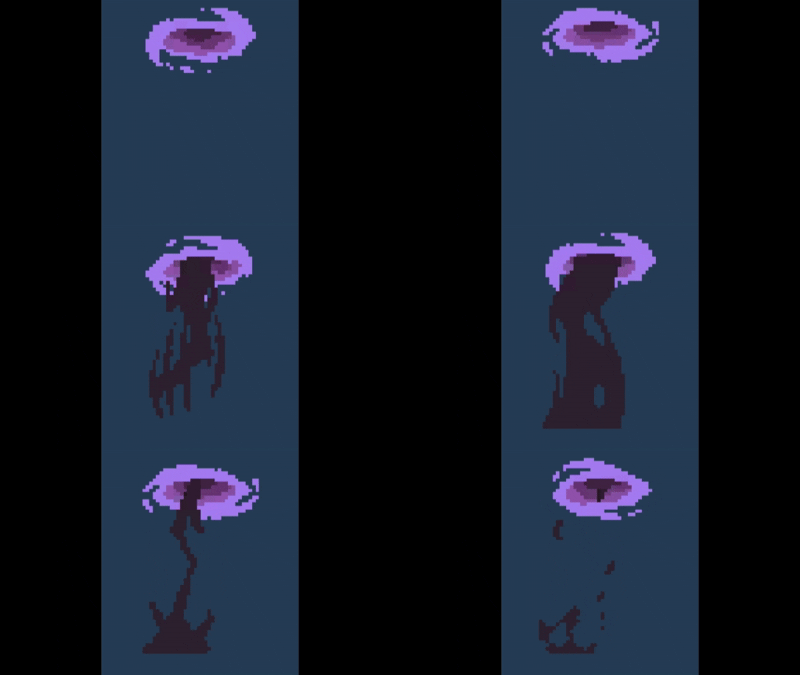
그리고 일반공격을 2번하면 특수공격이 나오도록 하였습니다.
//공격 이벤트에
attackCount++;
//플레이어 인식에
if (attackCount >= 2)
{
   state = BossState.casting;
   animator.SetBool("Casting",true);
   return;
}
특수 공격은 플레이어 거리에 상관없이 나오도록 만들었습니다.
그리고 코루틴을 이용하여 특수 공격을 구현 하였습니다.
첫번째 스킬은 맵 전체에 공격입니다.
IEnumerator CastingAttack(float delay,int spellType)
{
    float castingDelay = 0.3f;
    float spawnSpell = 0;
    if(spellType == 0)
    {
        yield return new WaitForSeconds(delay);
        GameObject.Find("spellMapAttack").GetComponent<SpellMapAttack>().mapAttackStart();
        spawnSpell += delay;
    }
    else
    {
        while (spawnSpell <= delay)
        {
            SpellAttack2();
            yield return new WaitForSeconds(castingDelay);
            spawnSpell += castingDelay;
        }
    }
    attackCount = 0;
    state = BossState.idle;
    animator.SetBool("Casting", false);
    animator.SetTrigger("Idle");
    delayStart = true;
    spellAttack = false;
}
한정적인 맵에서 전투를 하기 때문에 배치를 하고 Active를 키는 형식으로 만들었습니다.
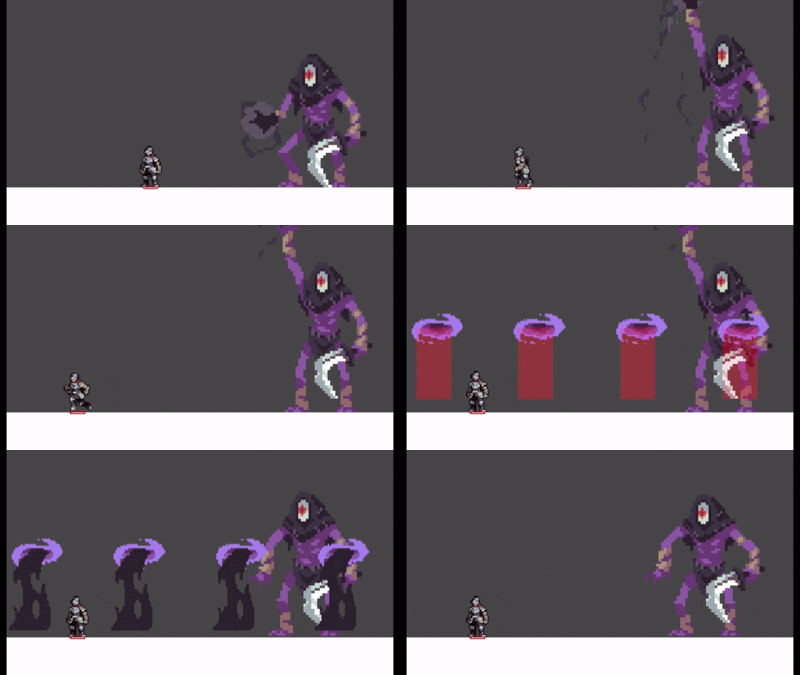
두번째 특수 스킬은 플레이어 위치에 특수 오브젝트 생성을 하는 공격입니다.
 private void SpellAttack2()
 {
     Vector3 playerPos = Player.transform.position;
     playerPos.y += 1.35f;
     Quaternion spawnRot = Quaternion.identity;
     Instantiate(Spell, playerPos, spawnRot);
 }
'유니티 개발 > 사이드 뷰 게임' 카테고리의 다른 글
| Unity 2D 아이템 제작 -이미지 미리보기 (0) | 2025.07.20 |
|---|---|
| Unity 2D 아이템 제작 - 기본 베이스 (0) | 2025.07.20 |
| Unity 2D 보스 - 기본 움직임 , 기본 공격 (0) | 2025.07.19 |
| Unity 2D 스킬 쿨 타임 (0) | 2025.07.19 |
| Unity 2D 스킬 구현 (0) | 2025.07.19 |